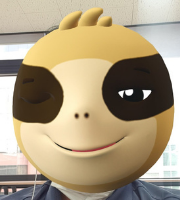
Google announced the addition of new features to its Workspace video editor Vids, including AI avatars, automatic transcript trimming, and image-to-video tools, while also launching a free consumer version with limited features. The new AI avatar feature allows users to post a script, select an avatar from various voices and personas, and create videos, competing with business-focused AI video creation tools like Synthesia and D-ID. The editing tool automatically detects filler words like "um" or "ah" and long pauses, allowing users to remove them with a single click while the editor adjusts the video accordingly. The image-to-video generation capability, previously introduced to Veo 3 in July, has been added to Vids for creating eight-second video clips. The free consumer version provides basic editing controls, access to Google's template library, font collection, and stock media library, but does not offer AI features at this time. Google is also developing additional features including noise cancellation, Google Meet-like backgrounds and effects, and support for new sizing formats such as portrait, landscape, and square, though no release date was specified.
구글이 구글 워크스페이스용 비디오 편집 도구인 Vids에 AI 아바타, 자동 대본 정리, 이미지-비디오 변환 도구 등 새로운 기능을 추가하고 제한적 기능의 무료 소비자 버전을 출시한다고 27일 발표했다. 새로운 AI 아바타 기능은 사용자가 스크립트를 입력하고 다양한 음성과 페르소나에서 아바타를 선택해 비디오를 제작할 수 있으며, 신테시아(Synthesia)나 D-ID 같은 기업용 AI 비디오 제작 도구와 경쟁한다. 편집 도구는 "음" 또는 "아" 같은 불필요한 단어와 긴 정적을 자동으로 탐지하고 클릭 한 번으로 제거할 수 있는 기능을 제공한다. 7월 Veo 3에 도입된 이미지-비디오 생성 기능이 Vids에 추가돼 8초 길이의 비디오 클립을 제작할 수 있게 됐다. 소비자용 무료 버전은 기본 편집 도구, 템플릿 라이브러리, 폰트 컬렉션, 스톡 미디어 라이브러리를 제공하지만 AI 기능은 지원하지 않는다. 구글은 추가로 노이즈 제거, 구글 미트 스타일 배경 및 효과, 세로·가로·정사각형 등 새로운 크기 형식 지원 기능을 개발 중이지만 출시 일정은 공개하지 않았다.